SID212EVO Ford EcoBlue: What It Is and Why It Matters (2026)
Learn what SID212EVO is, what it controls on Ford EcoBlue engines, why faults show up as AdBlue warnings or limp mode,
and what checks stop the same problem coming back.
SID212EVO is an ECU type used on many Ford EcoBlue diesels. It controls torque and emissions logic, including SCR (AdBlue),
so a “simple” warning can be triggered by pressure, quality, heater, wiring, NOx sensor behaviour, or SCR efficiency checks.
The fastest route is to identify which check failed, confirm it with proper diagnostics and live data, then prove the system passes again.
Who it’s for: Ford EcoBlue owners, fleet operators, and trades who need a clear diagnosis path, not guesswork.
- Added a table of contents with jump links for faster scanning and sitelinks.
- Added an explicit SID212EVO symptoms list and a quick DTC table for “fault code” searches.
- Added a clear proof box showing what we check first, tools used, and typical diagnosis time.
Table of contents
Jump to the section that matches what you’re seeing. If you’re in a countdown, start with symptoms and the DTC table.
- What is SID212EVO and what it controls
- Why it matters faults, downtime, cost
- SID212EVO symptoms list dash + driving signs
- Symptoms → likely cause → next step fast diagnosis map
- How SCR (AdBlue) works plain English
- Common DTCs quick table what they usually mean
- Why faults return after repairs the real reasons
- What we check first tools + live data
- What to do next simple action plan
- FAQ common questions
What is SID212EVO?
SID212EVO is an ECU type used on many Ford diesel vehicles running EcoBlue engines.
It does far more than “make the engine run”.
It manages torque requests, boost control, fuelling strategy, EGR control, and crucially, emissions monitoring.
That last part matters because most people only meet SID212EVO when the vehicle shows an “Emissions fault”,
“AdBlue system fault”, or a no-start countdown.
The message makes it feel like a simple tank or fluid issue.
In reality, SID212EVO runs a set of checks.
It compares sensor data to expected results.
If the test fails, it escalates from warning → reduced power → countdown to start prevention.
This is why topping up can do nothing.
The ECU is not asking “is the tank full”.
It is asking “does the SCR system behave within the range I expect”.
If it does not, the warning stays.
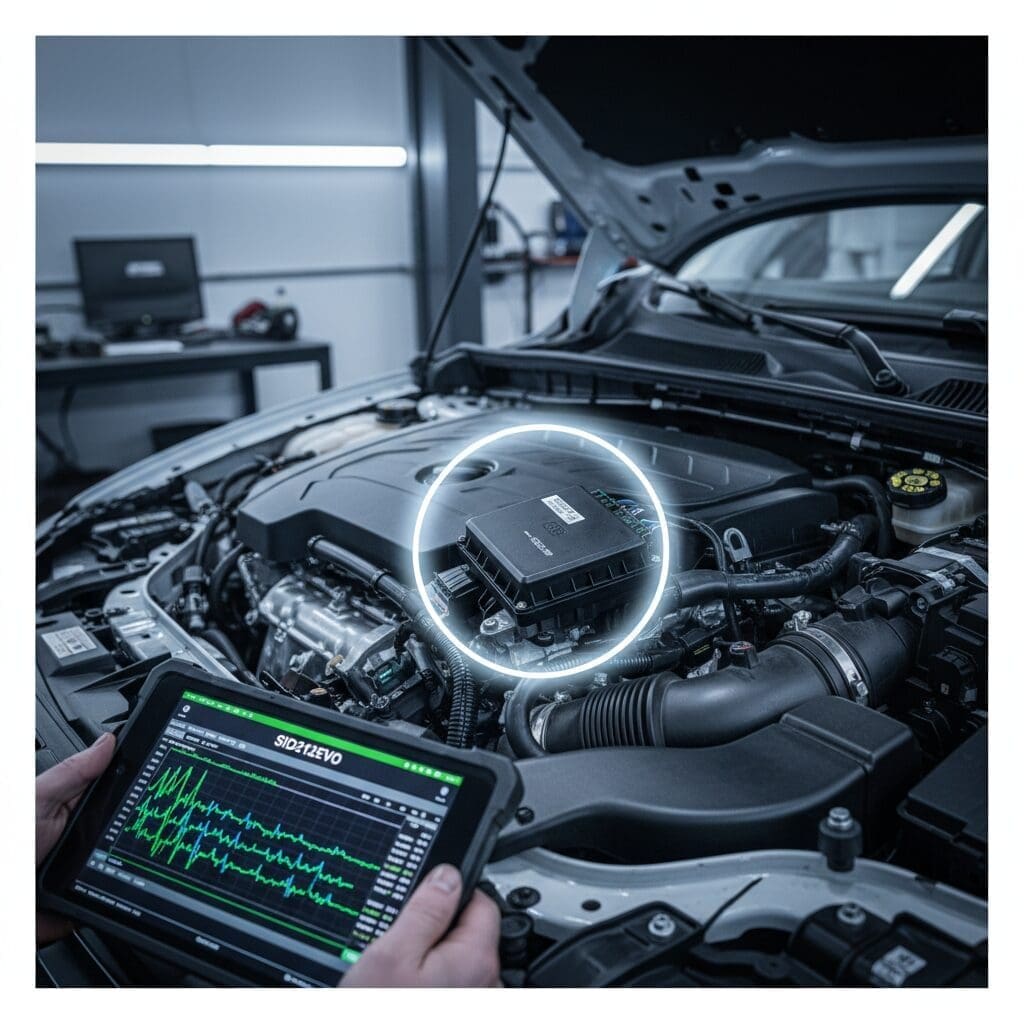
What SID212EVO controls
- Boost request, torque limits, and driveability strategy
- Fuel delivery calculations and protection routines
- EGR logic and intake protection
- SCR (AdBlue) checks and dosing decisions
- NOx sensor interpretation and catalyst efficiency monitoring
What this means for you
- A single warning can have multiple real causes
- Parts guessing often fails because the ECU repeats the same test
- Correct diagnosis needs codes, freeze-frame, and live data under the right conditions
- Fixing the cause then proving the system passes is what keeps it away
Why SID212EVO matters for Ford EcoBlue owners
If you run a Transit, Transit Custom, Ranger, or any EcoBlue-equipped work vehicle, you do not need a warning that “might” be serious.
You need a clear route to get back on the road.
SID212EVO matters because it decides when a fault becomes downtime.
Many emissions-related faults start as a mild message.
The van still drives.
You clear the code and carry on.
Then it returns.
A week later you get reduced power.
A little later you get a countdown.
By the time the countdown hits zero, you can end up stranded at the worst time.
People often waste money at this point because they treat the message as a single component failure.
“Replace the pump”.
“Replace the NOx sensor”.
Sometimes that works.
Often it does not, because the failing check was caused by something else:
restriction, crystallisation, heater faults, wiring voltage, or an efficiency calculation that does not match the real world.
If you’re already in a countdown, these support pages help you avoid the worst outcome:
What to do if your vehicle won’t start due to AdBlue issues
How to fix an AdBlue warning light
Where owners lose time
- They top up, clear codes, and hope it goes away
- They replace the part mentioned in the fault description
- They skip live data checks and only read stored codes
- They fix one issue but leave the cause in place (crystals, restriction, wiring)
Where the quick win lives
- Read exact codes and freeze-frame once, properly
- Confirm the failing check with live data
- Fix the cause, then verify the check passes again
- Stop the “fault returns after repair” cycle
SID212EVO symptoms list
People search “SID212EVO symptoms” when they suspect a deeper issue than the dash message suggests.
Use this list to match what you’re seeing to the most likely system area.
Then use the map and DTC table below to choose the best next step.
On the dash
- “Emissions fault” or “AdBlue system fault” message
- Engine management light paired with SCR wording
- No-start countdown (miles or minutes)
- “Incorrect AdBlue quality” style warnings after a refill
- Repeated warnings after clearing codes
In real driving
- Limp mode or reduced power, often under load
- Power drops when towing or climbing
- Stop-start disabled more often than usual
- Warning returns after a short drive cycle, not instantly
- Faults appear more in cold weather or after the vehicle sits
Symptoms overlap. That’s normal.
What matters is the stored code set and the trigger conditions.
That’s why the next section exists.
Symptoms → likely cause → best next step
This is your “stop guessing” section.
Start with what you see, then move to the next step that actually confirms the cause.
If you do nothing else, do this: get the exact codes and confirm with live data under the right conditions.
| What you notice | Likely cause area | Best next step |
|---|---|---|
| No-start countdown appears | SCR compliance check failing (pressure, quality, or efficiency) | Pull exact codes and freeze-frame. Confirm pressure/quality/NOx behaviour with live data before buying parts. |
| AdBlue full but warning remains | Quality logic, pressure/flow, heater circuit, or plausibility faults | Check refill history, tank temp/heater status, and dosing behaviour on live data. |
| Limp mode + emissions light | AdBlue/SCR faults can overlap with DPF or boost limiting | Read codes for both systems. Use live data to separate NOx/SCR from DPF load and regen behaviour. |
| Fault returns after pump replacement | Restriction, crystallisation, wiring/voltage, injector dosing path | Inspect dosing path and look for crystals. Verify stable voltage supply and command response. |
| Efficiency fault keeps returning | NOx sensor drift, exhaust leaks, injector spray/catalyst logic | Verify upstream/downstream NOx behaviour under load and check for small exhaust leaks. |
You’ll notice one theme: the “best next step” is rarely “buy a part”.
It’s “confirm the failing check”.
That’s what stops repeat visits.
How SCR (AdBlue) works on Ford EcoBlue in plain English
SCR stands for Selective Catalytic Reduction.
It’s the part of the exhaust system designed to reduce NOx emissions.
AdBlue is a urea solution injected into the exhaust stream.
Under heat, it helps convert harmful NOx into nitrogen and water vapour.
The system works well when the components agree with each other.
Faults happen when one part of the chain behaves outside the expected window.
SID212EVO reads sensor data, runs plausibility checks, and decides if the system still meets compliance.
If it decides it does not, you get warnings and escalation.

NOx sensors
The system compares upstream and downstream NOx readings to judge whether the catalyst reduces emissions.
Drift, slow response, wiring faults, or poor data under load can trigger efficiency decisions.
AdBlue pump, heater, and lines
The pump must supply stable pressure and respond to commands.
Heater faults can affect fluid behaviour in cold weather.
Restrictions, crystals, or voltage issues can look like “pump failure” when they aren’t.
Dosing injector and SCR catalyst
The injector must spray correctly and the catalyst must behave within expected efficiency ranges.
A poor spray pattern, partial blockage, or exhaust leak can skew readings and trigger repeat faults.
SID212EVO decision logic
The ECU doesn’t just store a code.
It runs a test, checks thresholds, and applies consequences across drive cycles.
That’s why some warnings appear, disappear, then return as a countdown later.
If you want a broader comparison between emissions systems and fault behaviour, this background page helps:
DPF vs AdBlue faults and what’s legal
Common DTCs quick table (and what they usually mean)
People often see a code and jump straight to the part named in the description.
That’s where the spend starts.
Use this table as a quick orientation tool.
Then confirm with live data and the right checks.
The aim is to fix the cause and keep it fixed.
| DTC | What it usually points to | What often causes it | Best first check |
|---|---|---|---|
| P20E8 | Reductant pressure too low | Weak pump, pressure drop, restriction, crystallisation, line issues, voltage supply |
Confirm command vs response on live data and check supply voltage at the pump. Link support: P20E8 and related codes explained |
| P204F | Reductant system performance | Dosing behaviour not matching expected performance, sensor plausibility, flow issues | Check live dosing behaviour, heater/tank temperature signals, and any linked pressure faults. |
| P207F | Reductant quality performance | Old/contaminated AdBlue, incorrect concentration, quality plausibility logic, temperature issues | Confirm refill history and quality logic conditions. Don’t assume “bad fluid” without verifying. |
| P20EE | SCR efficiency below threshold | NOx sensor drift, injector issues, exhaust leaks, catalyst behaviour, chained faults from pressure/quality | Check upstream/downstream NOx response under load and inspect for small exhaust leaks. |
Internal hub link idea for when your supporting post is live:
In the P20E8 row above, you can swap “Best first check” into a link to your future “live data checklist” post.
That turns this into a true cluster hub and helps Google connect the topic set.
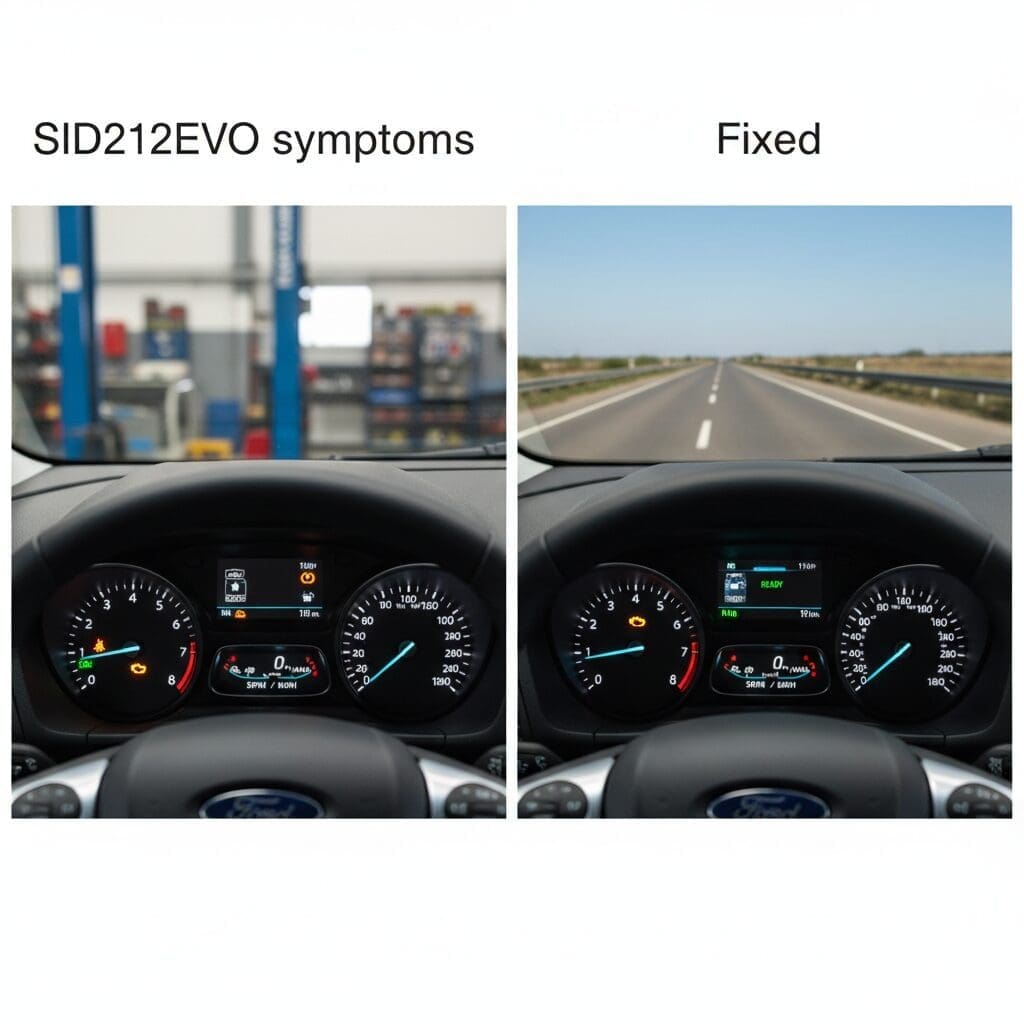
Why SID212EVO-related faults keep coming back after repairs
This is the part most guides skip.
A part gets replaced.
The warning clears.
Then the same message returns a week later.
That does not always mean the new part failed.
It usually means the ECU test still fails, or a linked issue remains in the system.
SID212EVO will repeat its compliance checks.
If pressure still drops under demand, it will trigger again.
If quality plausibility still fails, it will trigger again.
If NOx behaviour under load still fails the efficiency window, it will trigger again.
A quick code clear can hide a problem for a drive cycle.
It does not fix the underlying cause.
Most common real-world reasons
- Wrong part replaced first: the description guided the repair, not the failing check.
- Crystallisation not dealt with: new parts fitted into restricted lines or a blocked dosing path.
- Voltage instability: weak battery, poor earth, or connector corrosion causing intermittent behaviour.
- NOx sensors “look fine” at idle: but drift or react slowly under load, so the road test fails.
- Small exhaust leaks: enough to skew readings and trigger efficiency logic without obvious noise.
The outcome you want to avoid
- A list of suggested parts without proof the test now passes
- Repeated visits where the same message returns each week
- Escalation from warning to countdown because time passed without a verified fix
If you’re seeing repeated AdBlue warnings and need a practical “what now” route, start here:
AdBlue solutions
What we check first (so we don’t guess)
Guesswork wastes your time and your money.
The point of diagnosis is simple: confirm which check fails, then fix the cause, then prove it passes again.
When SID212EVO is involved, that means codes, freeze-frame, and live data under the right conditions.
E-E-A-T proof: how we diagnose
- Tools we use: professional diagnostic scan tools, live data capture, and wiring/voltage testing kit
- What we check first: codes + freeze-frame, then live data for pressure/temps/NOx behaviour
- Typical diagnosis time: 60–90 minutes for a clear direction (often quicker if the fault is repeatable)
- Service area: Hanley, Stoke-on-Trent. Covering Staffordshire, Staffordshire Moorlands, and Cheshire East
Why this approach works
SID212EVO faults chain together.
A pressure issue can create an efficiency fault.
A quality decision can trigger performance faults.
A wiring issue can mimic a sensor failure.
Live data and proper power checks stop the “replace parts until it goes away” loop.
When the fix is complete, we confirm the system behaves normally again so the ECU stops re-triggering the fault.
That’s the difference between a temporary clear and a lasting repair route.
Look for a countdown and write it down
Take a photo of the message and record how many miles or minutes remain.
That tells us how urgent it is and helps us see if the system accepted a top-up or is still failing a compliance test.
Photo the dash
Note mileage remaining
Confirm refill history and the filler neck condition
If the area looks crusty or white, it can hint at crystallisation.
If the tank shows full but the warning persists, you likely have a dosing/pressure/quality issue rather than “low fluid”.
Tell us when you last topped up and where the AdBlue came from.
Fluid source
Warning after top-up
Cold weather pattern and “after sitting” pattern
If faults appear more after the vehicle sits overnight or during cold spells, mention it.
Heater issues and borderline pumps often show their weakness in those conditions.
This detail helps us pick the right test path first.
After sitting
Morning faults
Battery health and voltage behaviour
Low voltage can create false comms errors and pump-related faults, especially during priming.
If it cranks slowly, starts worse in cold weather, or you’ve had recent battery issues, tell us upfront.
Recent battery change
Vehicle stood
What to do next if you suspect a SID212EVO issue
Keep it simple.
Your goal is not to “clear the light”.
Your goal is to stop the ECU failing the same test again.
That means getting the right information once, then acting on it.
Simple action plan
- Get the exact codes and note any SCR-related ones (P20E8, P204F, P207F, P20EE).
- Check if a countdown is active. If it is, treat it as time-sensitive.
- Don’t buy parts based on wording. Confirm with live data and power checks.
- Fix the cause, then verify the system behaves normally again across a controlled drive cycle.
Where to go on Pro Remapping
Question to ask yourself before spending money:
are you fixing the part, or are you fixing the failed check?
If you can’t answer that, you are still guessing.
Need a Ford EcoBlue diagnosis in Stoke-on-Trent?
Tell us your Ford model, the exact dash message, and any fault codes you’ve seen.
We’ll scan it, check live data, and give you a clear fix route.
Based in Hanley, Stoke-on-Trent. We cover Staffordshire, Staffordshire Moorlands, and Cheshire East.
Looking for a local, on-road repair route? Start here:
AdBlue solutions.
If you’re checking legal context before any off-road decisions, read:
is AdBlue removal legal in the UK?
Sister company for AdBlue-first help and fault-code deep dives:
AdBlue Specialist
SID212EVO Ford EcoBlue FAQ
Does SID212EVO mean my ECU is faulty?
Not automatically. SID212EVO is the ECU type.
The issue is usually a system it is monitoring, most often emissions checks (SCR/AdBlue) or sensor plausibility.
Diagnosis confirms whether the ECU is reacting to a real fault, a wiring issue, or sensor drift.
Why do I get an AdBlue warning when the tank is full?
Because the ECU is not only checking level.
It runs compliance checks using pressure, temperature, dosing behaviour, and NOx readings.
If one of those checks fails, the warning can stay even with a full tank.
Can I keep driving with a countdown?
Often you can drive until it reaches zero, but after that many vehicles will block starting.
If you rely on the van for work, treat it as urgent and get codes and live data checked early.
Is the fastest fix always a pump or NOx sensor?
No. Sometimes those parts fail, but many “pump” or “NOx” codes get triggered by restriction, crystals, heater faults,
voltage supply problems, or small exhaust leaks.
Confirming the failed check first usually saves money.
Why did the fault return after I replaced a part?
Because the ECU repeats the same test.
If the underlying cause remains, the test fails again and the message returns.
Common reasons include crystallisation not cleared, linked faults not fixed, wiring issues, or sensor behaviour that only fails under load.
If your main symptom is an AdBlue warning or countdown, start with:
AdBlue warning light fix
and
no-start due to AdBlue.